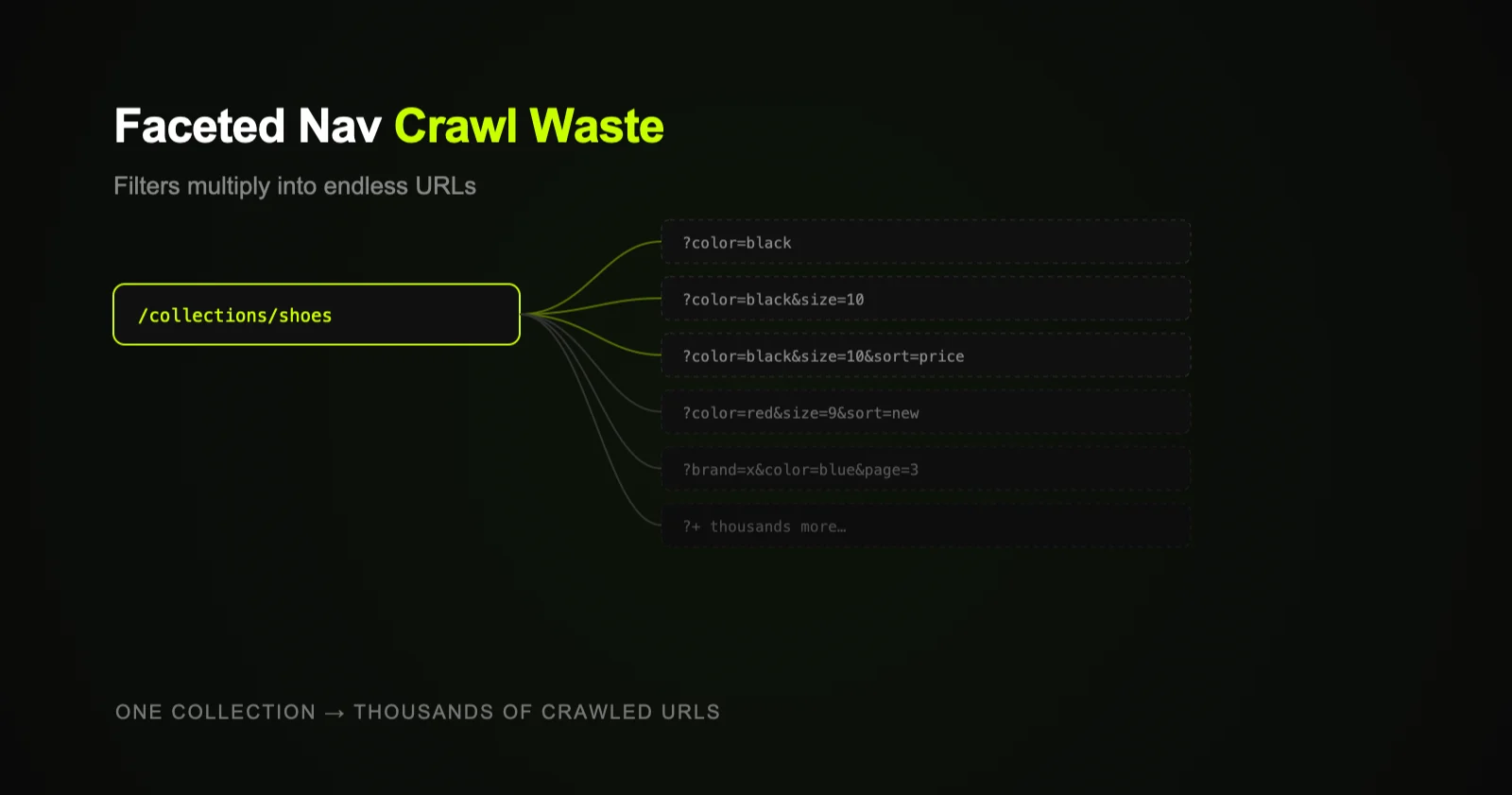
Shopify collection filters (faceted navigation) can generate thousands of parameter URLs — one for every filter and sort combination — with near-identical content. Search engines waste crawl budget on these low-value URLs instead of your real products and collections. The fix: canonicalize filtered URLs, stop linking to them, and discourage crawling of filter parameters.
Faceted navigation is great for shoppers and quietly hostile to SEO. Those handy filters — size, color, price, brand, availability — let visitors narrow a collection in seconds. But behind the scenes, each filter combination can spin up a separate URL, and the math gets ugly fast. On a mid-size store, a single collection can balloon into thousands of crawlable URLs that all show slight variations of the same products.
What faceted navigation is
Faceted navigation is the filtering and sorting layer on your collection pages. When a shopper filters a collection, Shopify typically appends parameters to the URL, for example:
/collections/shoes?filter.color=black/collections/shoes?filter.color=black&filter.size=10/collections/shoes?filter.color=black&filter.size=10&sort_by=price-ascending
Each of those is a distinct URL a crawler can discover and try to index — even though they're all just filtered views of the same collection.
Why it wrecks crawl budget
"Crawl budget" is the finite attention search engines give your site — how many URLs they'll crawl and how often. Faceted navigation explodes the number of URLs without adding real value, and that creates several problems:
- Combinatorial explosion. A few filters with a few values each multiply into hundreds or thousands of combinations. Add sort options and the count multiplies again.
- Crawl waste. Engines spend time fetching filter URLs instead of your important products, collections, and content — so your real pages get crawled and refreshed less often.
- Near-duplicate content. Filtered pages overlap heavily with the base collection and with each other, muddying which page should rank. (Related: the hidden Shopify duplicate-content problem.)
- Index bloat. If filter URLs get indexed, you fill the index with thin, redundant pages that can drag on overall quality signals.
The core idea: filters are a UX feature, not a set of pages you want ranked. The goal is to let shoppers filter freely while telling search engines "the clean collection page is the one that matters — don't waste time on the parameter variations."
How to fix it
- Canonicalize filtered URLs. Make filter/sort parameter URLs point their
rel="canonical"at the clean base collection URL so signals consolidate there. - Don't link to parameter URLs internally. Keep menus, internal links, and your sitemap pointing at clean collection URLs — never at filtered variations.
- Discourage crawling of filter parameters. Depending on your setup, use
robots.txtrules or meta robots to keep crawlers out of high-multiplication parameters. Test carefully so you don't block pages you actually want indexed. - Decide which facets deserve real pages. A few high-demand filters (e.g., a popular category like "waterproof boots") may warrant a dedicated, indexable, content-rich collection page instead of a parameter URL.
- Monitor coverage. Watch crawl stats and index coverage for a flood of parameter URLs, and adjust as your catalog grows.
This is advanced but high-leverage technical SEO — getting it right frees crawl budget for the pages that actually earn revenue, and stops filters from quietly diluting your store.
How one collection multiplies into crawl waste
flowchart TD
    C([Collection page]) --> F1[?color]
    C --> F2[?color&size]
    C --> F3[?color&size&sort]
    F1 & F2 & F3 --> X{Crawled &
    indexed?}
    X -->|Unmanaged| WASTE([Thousands of
    near-duplicate URLs
    eat crawl budget])
    X -->|Canonical + blocked| CLEAN([Crawlers focus
    on real pages])
    style C fill:#111,stroke:#C8FF00,color:#E8E8E8
    style CLEAN fill:#1a2800,stroke:#C8FF00,color:#C8FF00
    style WASTE fill:#1a1a1a,stroke:#555,color:#888
    style X fill:#0d0d0d,stroke:#C8FF00,color:#E8E8E8
Where to start
Crawl your store and look at how many filter/sort parameter URLs are discoverable and indexed. If the number dwarfs your real page count, faceted navigation is leaking crawl budget. Start by confirming canonicals on filtered URLs and cleaning up internal links, then layer in crawl controls. If you want this diagnosed and fixed across a larger catalog, it's part of Shopify SEO.